github
推送本地仓库到GitHub
- 初始化仓库
- 添加remote
sh
echo "# hello" >> README.md
git init
git branch -M main
git add README.md
git commit -m "first commit"
git remote add remote_name https://github.com/user/xxx.git- 关联本地与远程分支
sh
git push --set-upstream origin main
# or
git push -u origin main
若没有配置ssh,需要到setting->developer setting->获取token,输入token
配置SSH
生成密钥
bash
cd ~/.ssh
ssh-keygen -t rsa -C [email protected]  #一路回车
添加密钥到github
sh
# copy
vim id_rsa.pub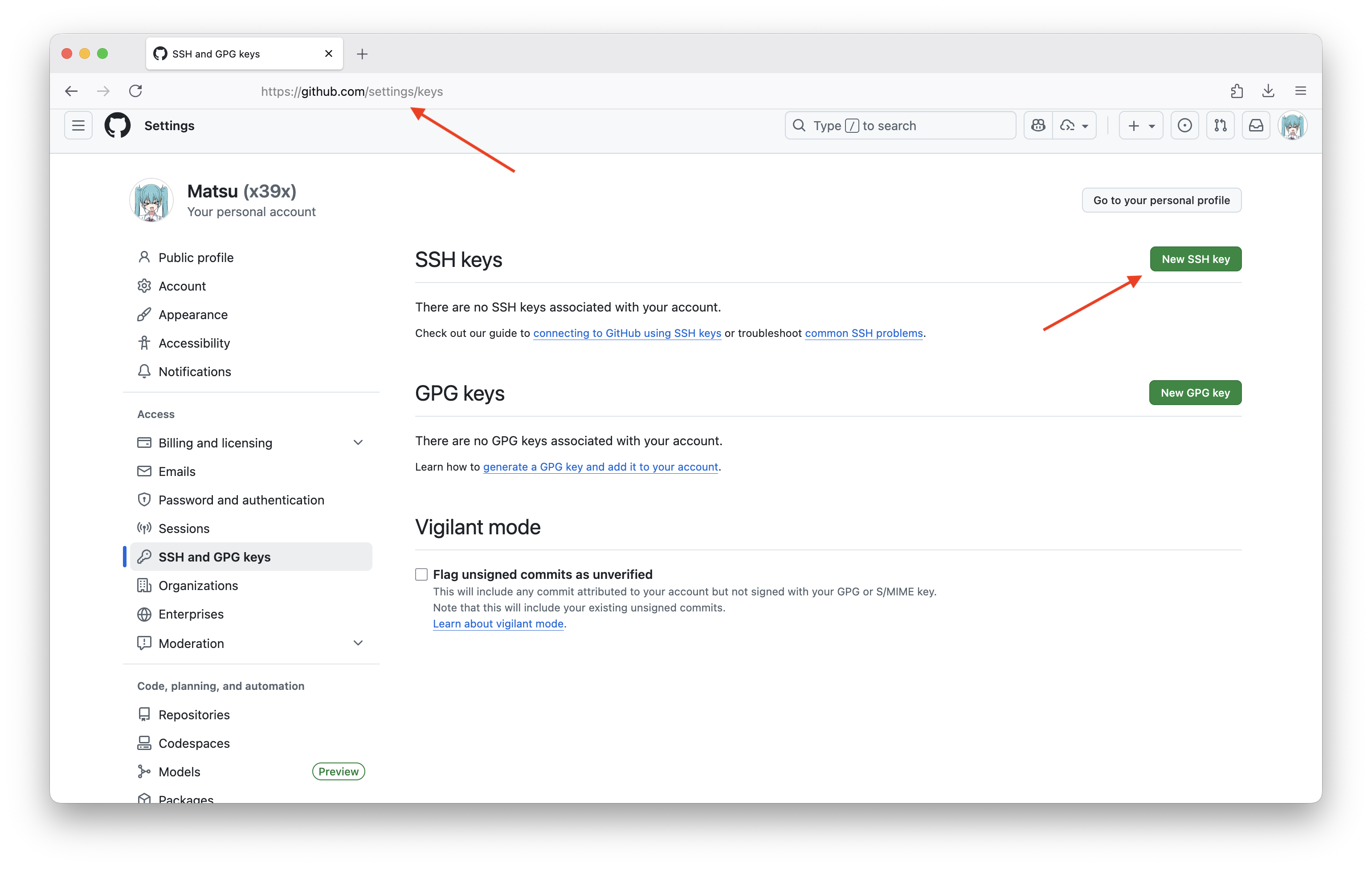
检验是否链接成功
bash
ssh -T [email protected]
#出现以下则证明链接成功
"Hi lover! You've successfully authenticated, but GitHub does not provide shell access. "
错误排查
- 如果出现
bash
[email protected]: Permission denied (publickey)
#运行代码
ssh-agent -s
ssh-add ~/.ssh/id_rsa
Highlight words
NOTE
Highlights information that users should take into account, even when skimming.
TIP
Optional information to help a user be more successful.
IMPORTANT
Crucial information necessary for users to succeed.
WARNING
Critical content demanding immediate user attention due to potential risks.
CAUTION
Negative potential consequences of an action.